
Why Is My Phone Sounding Muffled? The 60-Second Fix
Wondering why your phone sounds muffled? Discover why micro-debris dulls your audio and learn a 60-second acoustic trick to fix it instantly.
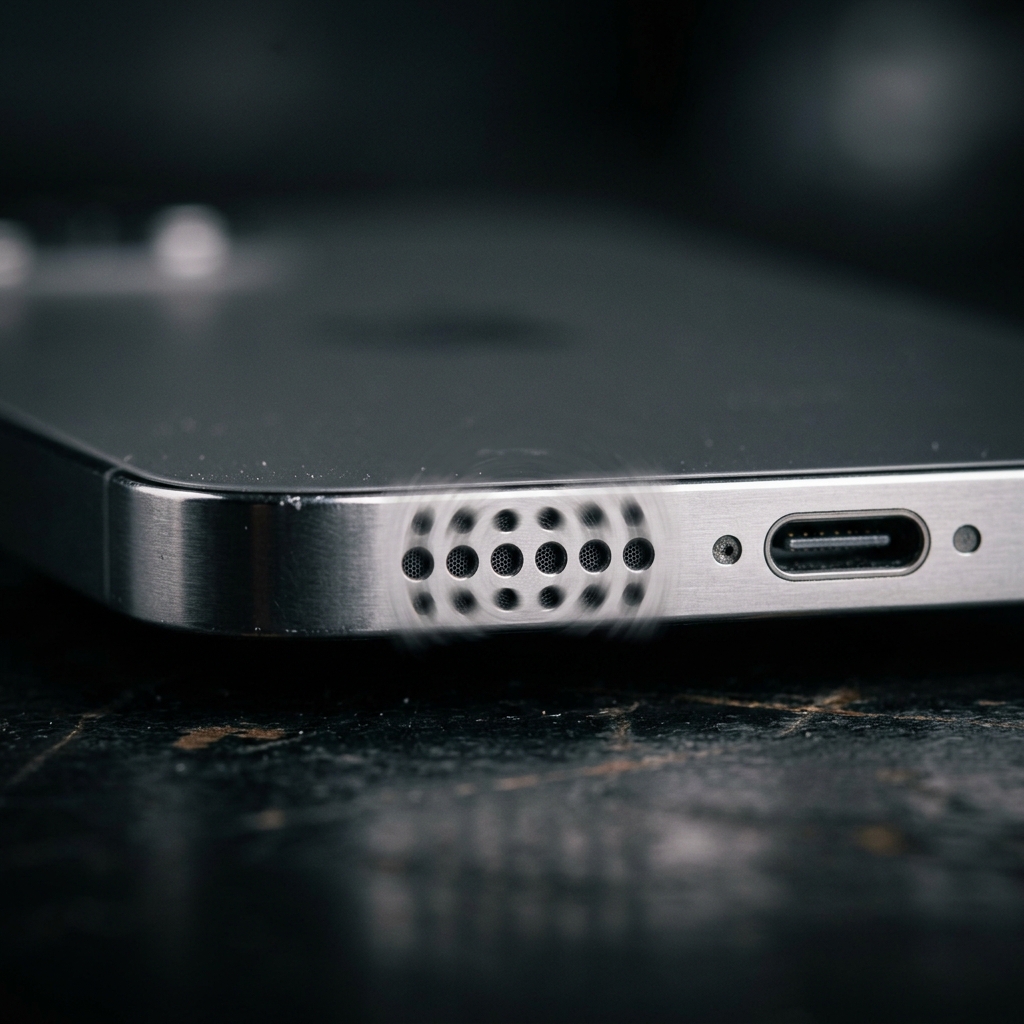
If you’re wondering “why is my phone sounding muffled?” or notice your audio sounds uncharacteristically tinny and quiet, you aren’t alone. This is one of the most common smartphone complaints, yet it’s rarely a sign of hardware failure.
The most frequent culprit? Micro-debris. Your pocket is a surprisingly hostile environment for microscopic speaker grilles. Here is a definitive guide to understanding why your speaker sounds muffled and how to fix it in under a minute without spending a dime.
1. What Causes a Muffled Phone Speaker?
To understand why the sound is muffled, you need to understand phone speaker design. Your smartphone produces audio by rapidly vibrating a tiny internal diaphragm. In front of this diaphragm sits the protective speaker grille—a mesh of holes often no larger than 0.2 millimeters.
When your phone spends hours a day in a pocket or purse, it forces fabric fibers, dust, and microscopic dead skin cells into these tiny holes. Over time, friction and slight moisture (from sweat or humidity) compact this debris into a physical wall.
The Acoustic Blanket Effect
When a wall of lint blocks the grille, the internal diaphragm still vibrates perfectly, but the sound waves hit the debris before reaching the outside air.
This creates a classic low-pass filter effect: high frequencies (treble, vocal clarity, cymbals) are blocked by the lint, while low frequencies (bass) pass through more easily. This is precisely why the audio sounds “muffled” rather than just uniformly quiet.
2. Why Muffled Speaker Symptoms Develop Slowly
Unlike water damage, which instantly distorts your speaker, dust accumulation is insidious. You usually don’t notice it until the blockage reaches a critical mass.
Look for these telltale signs of a dust-clogged speaker:
- You constantly turn the volume to 100% just to hear YouTube videos
- Phone calls sound distant, as if the person is speaking through a thick blanket
- Your alarm clock seems much quieter than it used to be
- You rely heavily on headphones because the external speaker “sounds bad”
3. How to Fix a Muffled Speaker Without Opening Your Phone
You do not need to take your phone to a repair shop for this.
The Acoustic Cleaning Method (Recommended)
The safest and fastest way to dislodge compacted dust is using low-frequency acoustic pressure. When you play a specific tone (typically between 165 Hz and 230 Hz) at maximum volume, the speaker diaphragm moves with maximum displacement. This pumps a massive amount of air pressure outward, physically ejecting the lint.
- Go to Speaker Cleaner’s free web tool
- Set your phone volume to 100%
- Point the bottom speaker straight down toward the floor
- Run the cleaning cycle for 60 seconds
The outbound pressure waves act as tiny, rapid blasts of air originating from behind the dust, guaranteeing the debris is pushed out rather than farther in.
The Dry Brush Method
If the acoustic method improved the sound but didn’t completely solve it, pair it with physical agitation:
- Find a completely dry, clean, soft-bristled toothbrush
- Hold your phone with the speaker facing the floor
- Gently sweep the bristles across the speaker holes
- Run the acoustic cleaning tone again to blow away the loosened particles
4. What NEVER to Do to a Muffled Speaker
Many household “fixes” will instantly destroy a perfectly good, albeit dusty, speaker:
- Never use compressed air cans: The sudden burst of unregulated high-pressure air will tear the delicate paper-thin speaker diaphragm inside.
- Never poke the holes with needles or pins: You will pierce the diaphragm and permanently ruin the speaker, requiring an expensive hardware replacement.
- Never use liquids or alcohol: Liquids can dissolve internal adhesives and cause short circuits if water resistance seals are aging.
5. Preventative Maintenance
Once your speaker sounds crystal clear again, keep it that way with a few habits:
- Take your phone out of your pocket before doing heavy, dusty yard work or construction
- Clean your pockets occasionally (turn them inside out in the laundry)
- Run a 60-second acoustic cleaning cycle once a month to prevent micro-debris from fully compacting
If you currently have a muffled phone speaker, run a cleaning cycle right now. It takes less than a minute and your phone will sound brand new again.